
Safety and procedure simulations
Use VR or 3D scenarios to demonstrate hazards, decisions, procedures or contrasting conditions without recreating the live risk.
Training & Simulation / UAE & GCC
Make complex procedures and products easier to explore and practise.
Learning through guided experience
PearlQuest develops custom VR, MR, tablet and 3D simulation experiences across the UAE and GCC. We connect approved subject-matter content, interaction design, devices and deployment requirements to a defined learning, onboarding, safety or product-understanding objective.
Some procedures, environments and products are difficult, costly or unsafe to demonstrate in real conditions. A simulation can give users a guided way to observe, explore or practise, but only when the learning objective and source content are clear.
PearlQuest can shape a headset experience, tablet-based MR prototype, custom 3D scenario or immersive product showcase. The right format depends on task complexity, user group, environment, source assets, supervision, devices and evaluation plan.
Choose the right interaction
Start with the audience action. Content, hardware, integrations and operating support follow the agreed scope.
Use VR or 3D scenarios to demonstrate hazards, decisions, procedures or contrasting conditions without recreating the live risk.
Overlay animated processes and 3D information on physical models or spaces for guided explanation and induction.
Build role, environment or task-based experiences around approved steps, decisions and feedback.
Let users explore product options, components or environments through interactive 3D visualisation.
Explain infrastructure, systems or product stories through VR, projection or large-format spatial content.
Add checkpoints, choices or completion records where the evaluation method and data responsibilities are defined in scope.
Selected PearlQuest work
Explore published projects and the practical delivery details behind each experience.
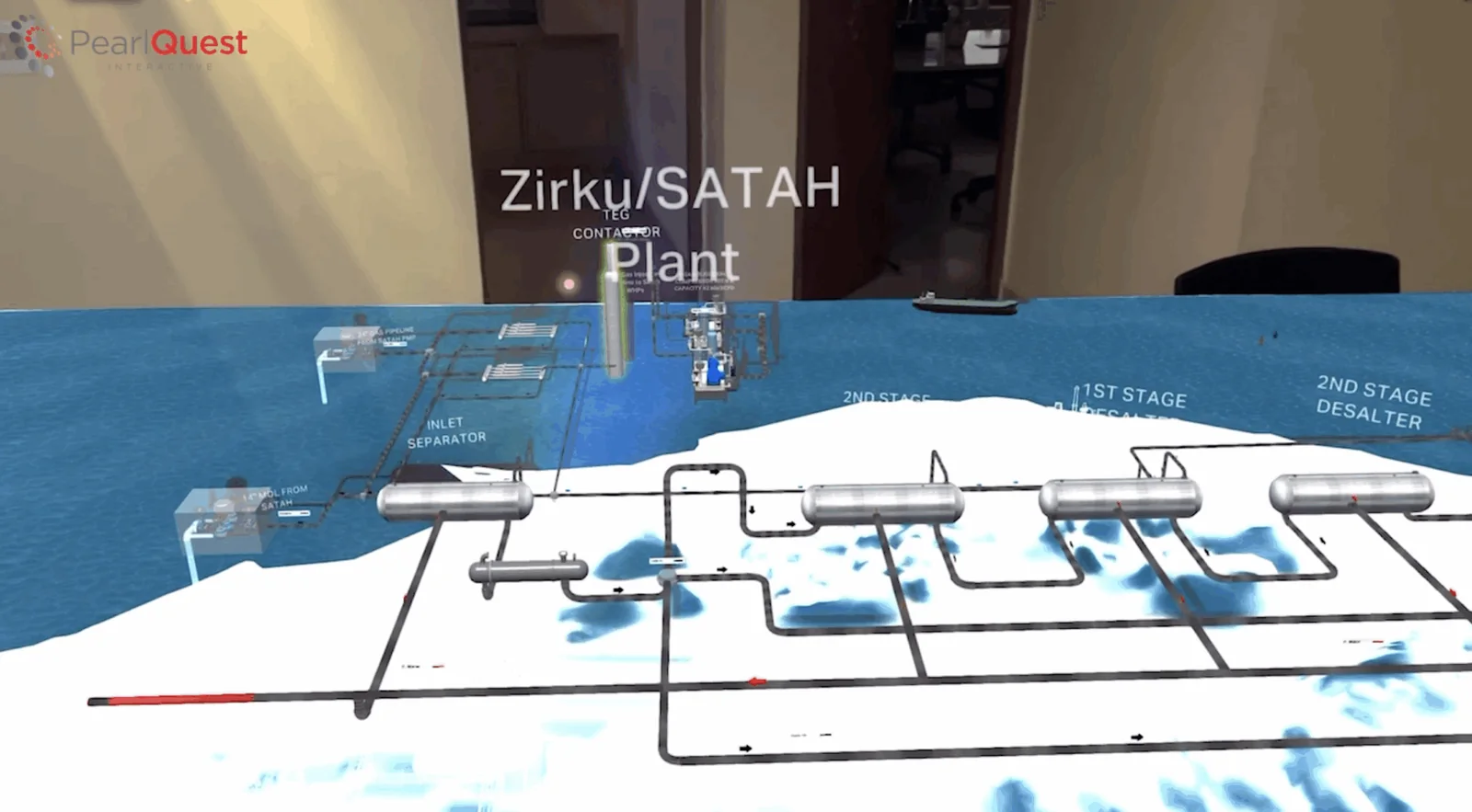
PearlQuest developed a Mixed Reality prototype for Meta Quest 3 and iPad Pro using 3D elements and real-time animations. The experience integrated with a 3D-printed physical model and was designed for presentations, training and education.
View the published project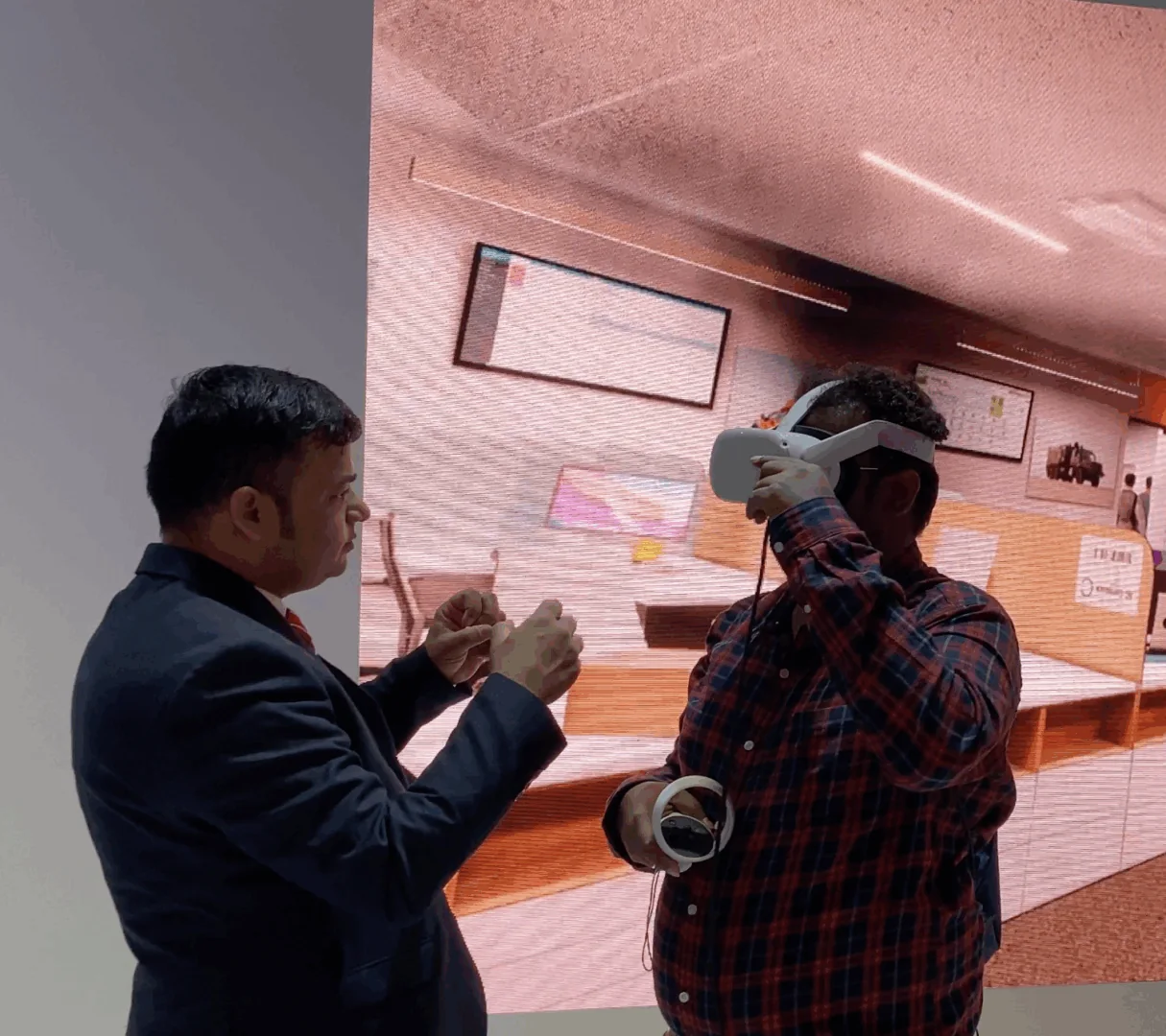
PearlQuest created a VR experience in an office setting that compared two scenarios: one with a smoke-management system and one without. The interaction demonstrated the role of the system through contrasting conditions.
View the published projectPearlQuest created a VR experience using Oculus Rift DK2 and 360-degree immersion to show children the disadvantages of using a mobile phone while driving.
View the published projectHow we work
One connected plan for content, technology and the operating environment.
Clarify the business objective, audience, content, constraints, stakeholders and success measures.
Map the audience journey, interaction, interface, information structure and content behaviour.
Define the approved software, displays, sensors, XR devices, data, integrations and deployment requirements.
Develop the experience and integrate the approved content, software, hardware and control logic.
Run usability and technical QA for content, interaction accuracy, reliability, privacy and relevant offline scenarios.
Support installation, calibration, handover and operating requirements according to the agreed project scope.
Before the brief
Practical considerations for training & simulation.
Choose based on the task, user group and deployment environment. VR suits controlled immersion; MR suits spatial overlay; tablets support portable shared viewing; desktop 3D can simplify access and rollout.
Potentially. Source accuracy, ownership, file quality, confidentiality, version control and the level of optimisation needed should be assessed before reuse is promised.
Yes, when checkpoints, scoring logic, pass criteria, records, privacy and reporting are defined in the approved learning design. Assessment is not assumed by default.
Potentially. Multi-user design depends on devices, networking, facilitation, physical space, concurrency and the learning objective.
Define session length, supervision, movement area, cleaning, fit, accessibility, motion sensitivity and emergency procedures as part of deployment planning.
Hardware supply, setup, maintenance, spares and on-site support are scope-dependent. The deployment model should be agreed during specification.
Timelines vary with subject complexity, source assets, scenario branching, 3D production, device targets, subject-expert reviews, testing and deployment.
Share the learning or explanation objective, audience, procedure or product, source materials, target devices, locations, session model, timeline, confidentiality needs and evaluation approach.
Start a conversation
Tell PearlQuest what users need to understand, practise or decide, and where the experience will run. We will help shape the scenario, interaction, device and deployment plan.
Plan your training or simulation brief